
🏠 Genealogy Hub – Front Page Overview
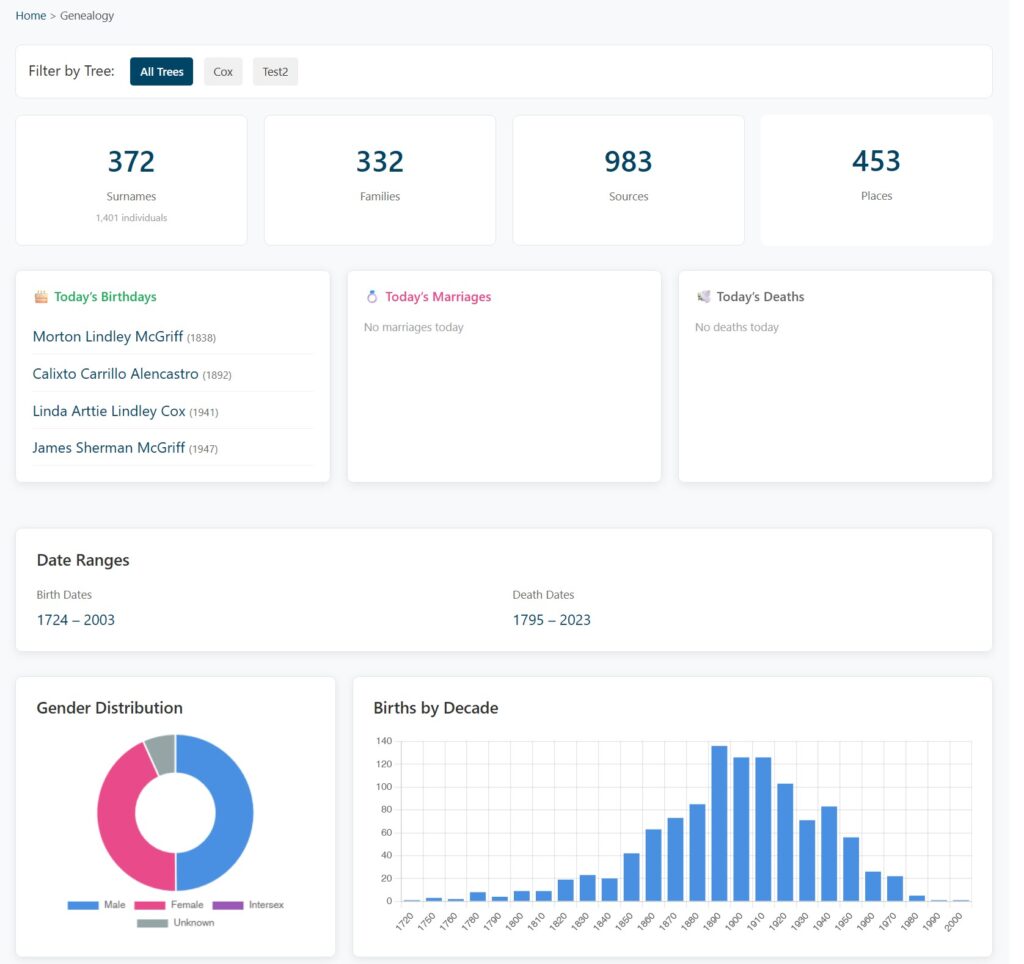
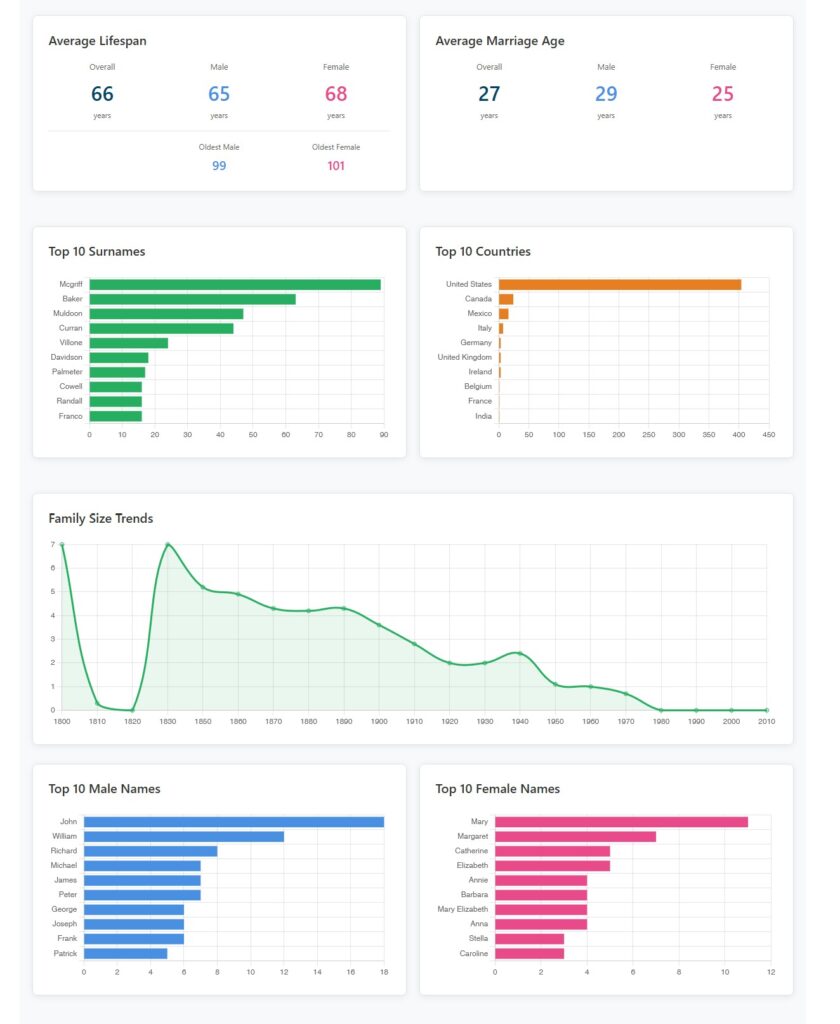
The Genealogy Hub is the main interactive landing page for your family tree website. It provides visitors with a dynamic dashboard displaying statistics, charts, and highlights derived directly from your imported GEDCOM data.
The page is automatically generated and updates every time you import a new GEDCOM file.
Access and Navigation
The Genealogy Hub is typically accessed via the main navigation menu and resides at:
Page Sections and Features
1. Tree Filter (Multi-Tree Sites)
If you manage multiple family trees, a filter bar appears at the top, allowing visitors to customize the entire dashboard view:
- All Trees: Displays combined statistics from all imported trees.
- Individual Trees: Clicking a tree name filters all charts and statistics on the page to that specific tree.
- Persistent Selection: The visitor’s last tree choice is remembered across sessions.
2. Overview Statistics (Top Cards)
Four prominent, clickable cards provide quick access to core data sections:
| Card | Statistic Displayed | Primary Link |
| Surnames | Total number of unique surnames and total individuals count. | Links to the Surnames page. |
| Families | Total number of family units. | Links to the Families page. |
| Sources | Total number of source citations. | Links to the Sources page. |
| Places | Total number of unique geographical locations. | Links to the Places page. |
3. Today’s Events (Anniversaries)
Three side-by-side sections highlight anniversaries for the current date, regardless of the year:
- 🎂 Today’s Birthdays: Lists individuals born on the current date (Name and Birth Year).
- 💍 Today’s Marriages: Lists couples married on the current date (Spouses’ Names and Marriage Year).
- 🕊️ Today’s Deaths: Lists individuals who died on the current date (Name and Death Year).
Note: All names are clickable and link directly to the individual person profiles.
4. Demographic and Timeline Charts
The page features a series of automated charts to visualize trends and distribution:
| Feature | Chart Type | Data Displayed / Insight |
| Date Ranges | Text | Earliest to latest Birth Years and Death Years in your tree. |
| Gender Distribution | Pie Chart | Visual breakdown by Male (blue), Female (pink), Intersex (purple), and Unknown (gray). Follows GEDCOM 7.0 standard. |
| Births by Decade | Bar Chart (Horizontal) | Number of births per decade, visualizing population growth and peak generations. |
| Top 10 Surnames | Bar Chart (Horizontal) | Frequency count of the most common surnames, identifying major family lines. |
| Top 10 Countries | Bar Chart (Horizontal) | Frequency count of event locations by country, showing geographic distribution. |
| Family Size Trends | Line Chart | Average number of children per family by decade, visualizing demographic shifts. |
5. Lifespan and Naming Patterns
| Statistic | Details Displayed |
| Average Lifespan | Overall, Male, and Female average age at death, plus Oldest Male and Oldest Female maximum ages reached. |
| Average Marriage Age | Overall, Male (grooms), and Female (brides) average age at first marriage. |
| Top 10 Male Names | Frequency of the most popular given names for males, identifying naming patterns. |
| Top 10 Female Names | Frequency of the most popular given names for females, revealing naming trends across generations. |
Interactive Features & Use Cases
Interactive Elements
- Clickable Links: All statistic cards and individual names link directly to their respective detail pages.
- Chart Interaction: Charts are interactive, allowing visitors to hover over bars or lines for precise data points.
- Live Data: All statistics and charts update automatically after every successful GEDCOM import, requiring no manual configuration.
Use Cases
| Audience | Benefit |
| Family Researchers | Quick overview of tree size, identifying data gaps, and spotting naming traditions. |
| Website Visitors | Engaging, visual introduction to the family history with easy navigation to people and places. |
| Presentations | A professional dashboard for sharing research and visual storytelling. |